

The real moments at your wedding are captured by your guests. Here is how to keep them
24 June 2026
Your photographer is going to deliver magic. There is no question about that. The beautiful portraits, the first kiss, the big group shot, the carefully composed images you will end up framing on your wall.
But there is an entire category of moments your photographer never captures. Not because they are not skilled, but because they cannot be everywhere at once.
The laughter at table seven when your uncle told that story again. Your grandmother wiping away a tear during the speeches. Your three closest friends dancing until they were drenched at one in the morning. The look the two of you exchanged when nobody was watching. The small, real, unplanned moments that together make up the actual feeling of your wedding.
Those moments get captured by your guests. The only question is whether you ever get to see them.
The Problem With Guest Photos
Here is what usually happens.
Your guests take hundreds of photos throughout the evening. Beautiful ones. Funny ones. Photos you would never have seen otherwise. And then they sit there. On their phones. In their camera rolls alongside everything else. Forgotten within a week.
A few people might send you some by message the next day. An aunt uploads three to Facebook. A friend promises to "send you all of them" and never does, not because they do not want to, but because life gets in the way.
The result is that the vast majority of these photos, possibly the most genuine memories of your entire day, simply disappear. Not on purpose. Just through friction.
It is a shame. And it is completely avoidable.
Why the QR Code Became the Standard
The solution that has emerged over the last few years is simple and effective: a QR code your guests can scan to upload their photos to one shared wedding album.
The reason it works is that it removes all the friction. The guest does not need a separate wedding photo app, they do not need to download anything, and they do not need to create an account. They scan a code with their phone camera, upload their photos right there, and they are done.
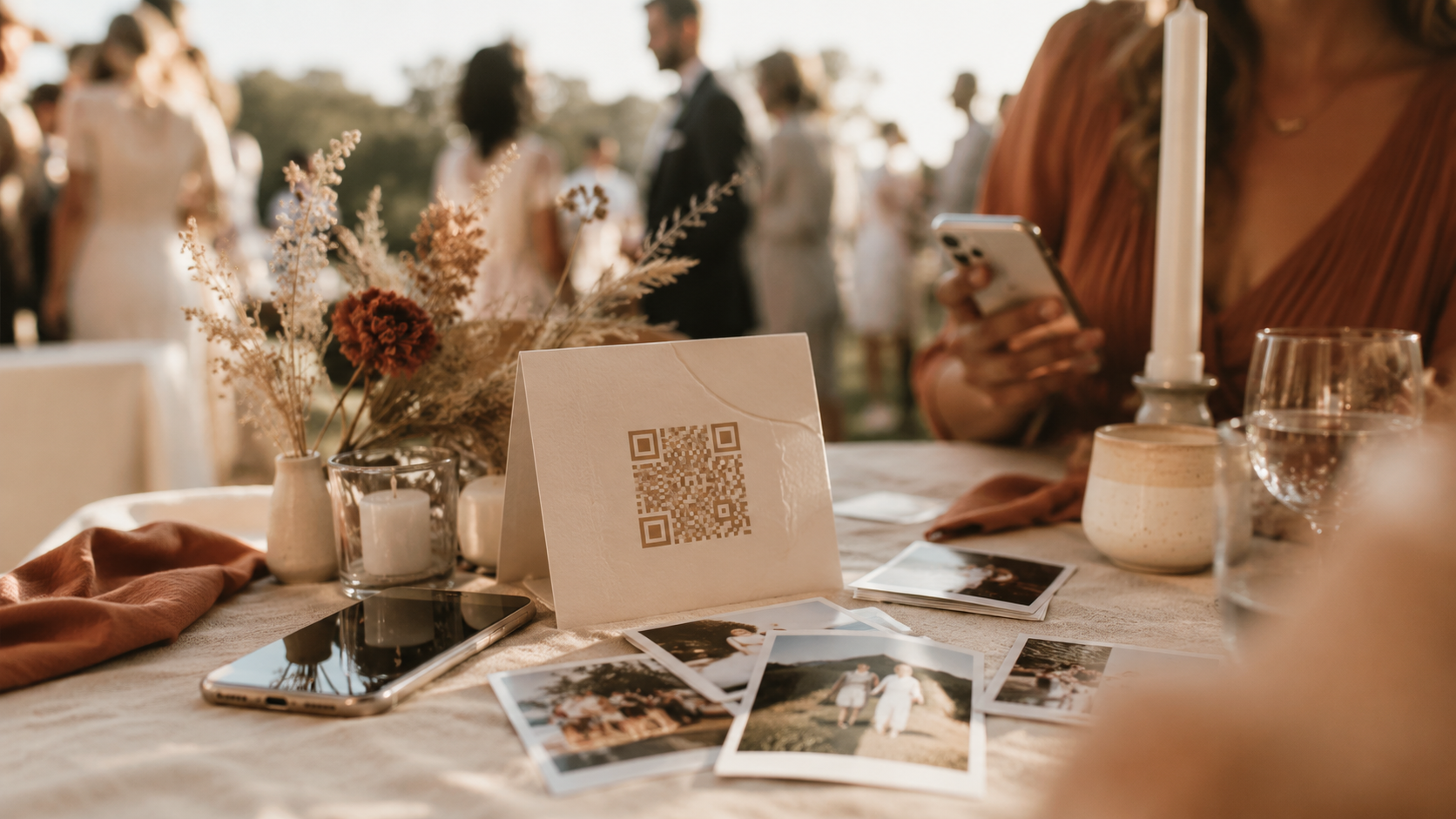
You put the QR code on the place cards, on a sign at the entrance, in the program, or on your wedding website. Throughout the evening, photos quietly roll into the shared album. By the time the party is over, you might have hundreds of images from dozens of perspectives you would never have seen yourself.
It is a lovely thing to wake up to the morning after your wedding.
The Digital Guestbook: More Than Just Photos
The traditional guestbook, the one where guests write a short note with a pen, is lovely. But it rarely captures what people actually want to say.
A digital guestbook lets guests leave more than a signature. A message. A photo. A short video greeting from your best friend who did not get to give a speech but had something to say anyway. The voice of your grandparents, preserved exactly as it was that day.
It is the kind of thing you do not realise you will treasure until a few years have passed. And by then, you are very glad you have it.
What to Keep in Mind
Make it easy to understand. Your guests range from teenagers to grandparents. Put a short, friendly instruction next to the QR code. "Scan here to share your photos with us" is enough.
Put the code where people actually see it. Place cards work well because everyone sits down at some point during the evening. A simple sign at the entrance and at the bar helps too.
Decide who should be able to see the photos. Some couples want a completely open album. Others want control over who uploads and who views. Either is fine, but decide in advance.
Remember to download everything afterwards. The photos are not safe until they are saved somewhere that belongs to you. Download the full album once everyone has had a chance to contribute, ideally a couple of weeks after the wedding.
Let it complement the photographer, not replace them. Guest photos are an addition to the professional work, not a substitute. The two together give you the full story: the beautiful, considered images and the spontaneous, genuine moments.
Fjora and the Memories From Your Day
What most QR solutions have in common is that they are yet another separate service. One more thing to set up, one more provider to remember, one more place your photos live that has nothing to do with the rest of your wedding.
In Fjora, photo sharing and the digital guestbook are part of the Memories module, built into the same platform where you already plan everything else. Guests scan the QR code and upload their photos directly, with no app and no account. They can leave a message, a photo, or a short video greeting in the digital guestbook. And it all gathers in one place, tied to your wedding, rather than scattered across a service you forget the password to by Christmas.
After the wedding, the photos and messages become a memory album you can page through, one spread at a time. The wedding itself is over in a day. The memories of it should last a great deal longer.
That is the whole idea behind the Memories module: that the real moments from your day deserve a home, not a forgotten folder on a guest's phone.
The One Thing Worth Remembering
Your professional photographer captures what your wedding looked like. Your guests capture what it felt like.
Both are worth keeping. And with a simple QR code and one place to gather everything, you do not have to choose between them or rely on people remembering to send you their photos.
You get all of it. In one place. The way it should be.
Planning your wedding and want to gather every memory in one place? Fjora's Memories module gives your guests a simple QR code for photo sharing and a digital guestbook, all built into the same platform where you plan the rest of your wedding.
Frequently Asked Questions
How do I collect photos from my wedding guests?
The easiest way is to use a QR code that guests scan to upload their photos to one shared wedding album. You place the code on place cards, a sign at the entrance, or your wedding website, and the photos gather automatically in one place throughout the evening.
Do guests need an app to upload photos?
No. With a good solution, guests need neither a separate wedding photo app nor an account. They scan the QR code with their phone camera and upload the photos directly in their browser. It takes seconds, and works just as easily for teenagers as for grandparents.
How do I make a QR code for wedding pictures?
If you use a platform like Fjora, the QR code is generated automatically when you enable photo sharing, so there is nothing to set up yourself. You can also create one manually with a QR generator that points to a shared album, but then you have to set up and maintain that album on your own.
What is the difference between a digital guestbook and regular photo sharing?
Photo sharing collects the pictures your guests take. A digital guestbook lets guests leave more than photos, such as a written message or a short video greeting. Together they capture both the images and the words from your day.
Do guest photos replace the wedding photographer?
No. Guest photos complement the photographer but do not replace the professional work. Your photographer captures the considered, beautiful images, while your guests capture the spontaneous moments the photographer cannot be present for. The two together give you the full story of your wedding.
How do I get all the photos after the wedding?
Download the full album once all your guests have had a chance to contribute, ideally a couple of weeks after the wedding. In Fjora, the photos and messages gather into a memory album you can page through and keep long after the day itself.